
In the ever-evolving world of education, the tools we use to communicate complex ideas matter more than ever. One such tool, often overlooked, is the animated GIF. Far from being just a novelty in memes or social media, animated GIFs can be a powerful medium for learning when used thoughtfully.
This post explores why animated GIFs offer distinct advantages over static images or videos, particularly in science education, and how they align with my task design principles.
Why Animated GIFs?

Bridging Static and Dynamic Visualisation
Static images are excellent for isolating concepts but can fail to capture movement or transformation. Videos, on the other hand, are transient and often overwhelming, offering fleeting glimpses of key moments. Animated GIFs strike the perfect balance: they loop a short, focused sequence, allowing children to repeatedly observe and process without needing to rewind or pause.

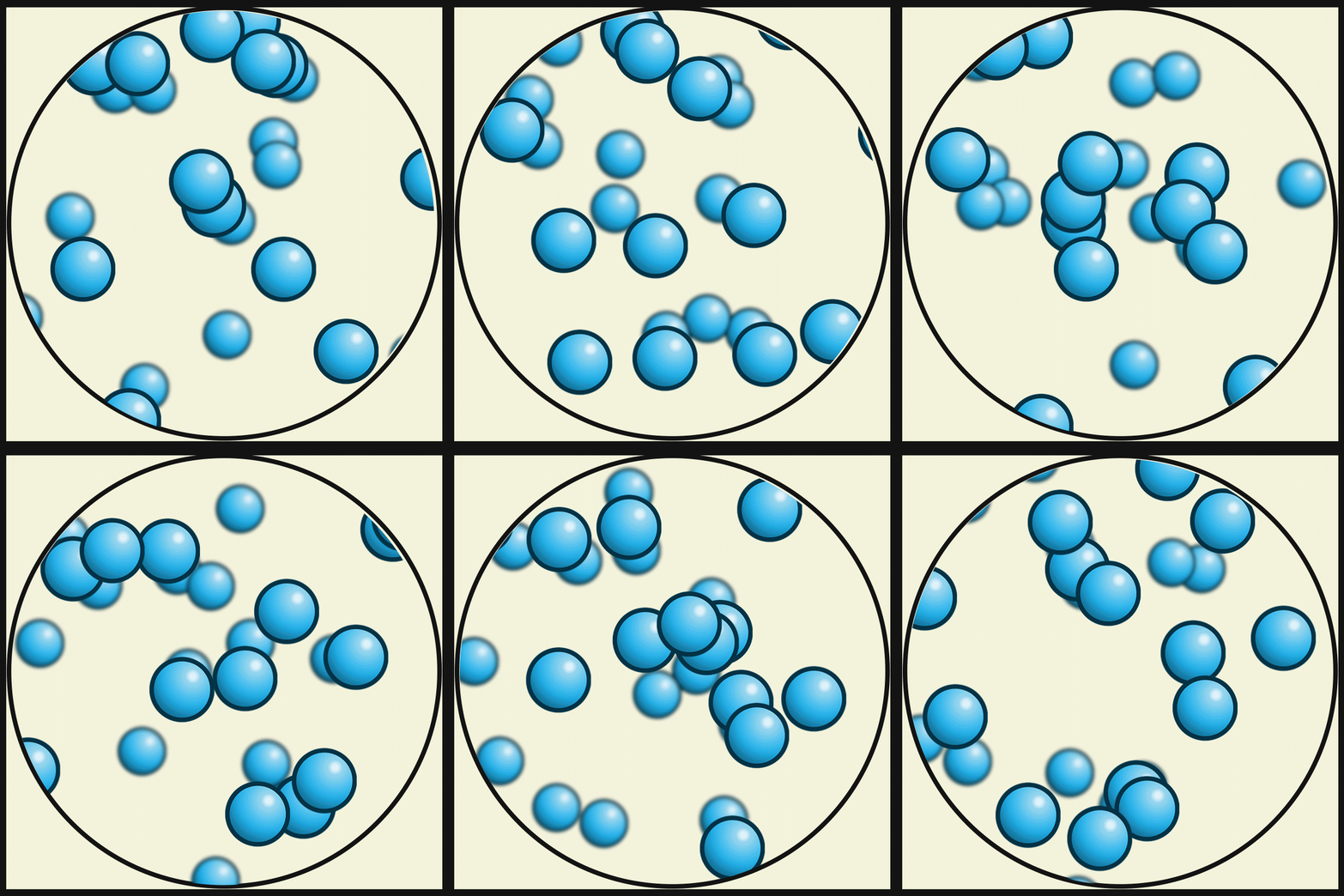
For example, consider teaching states of matter. A GIF showing molecules vibrating in a solid, sliding past each other in a liquid, and rapidly moving in a gas is far more effective than a static image like the one above or a video clip. Videos are fleeting! The looping animation reinforces the concept through repetition, while its concise nature ensures the focus remains on the specific point of learning.


The Science Behind GIFs in Learning
Animated GIFs align with research in cognitive psychology and multimedia learning theory. Using dynamic imagery instead of static images connects with several key educational research concepts.
A recent study specifically supports incorporating dynamic infographics, such as animated GIFs, into task design. According to Shemy (2022), sixth-grade children who engaged with dynamic infographics in science lessons displayed stronger visual thinking skills and experienced less cognitive strain than their peers who relied on static infographics.
Dynamic infographics present information in a sequential and engaging manner, aligning with children’s perceptual and cognitive preferences. This approach allows children to grasp complex ideas with minimal cognitive effort, enabling teachers to create interactive content or narrate a simple, repeating animation that resonates more effectively than any static image. The result? Improved comprehension and retention of concepts.
Incorporating dynamic infographics into task design, particularly in science subjects, significantly enhances learning outcomes. This strategy supports critical thinking development and makes learning more interactive and accessible for all children (Shemy, 2022).
Shemy, S. (2022) Digital infographics design: static vs. dynamic – its effects on developing thinking and cognitive load reduction. Available at: https://www.researchgate.net/publication/361035947_Digital_Infographics_Design_Static_vs_Dynamic_Its_Effects_on_Developing_Thinking_and_Cognitive_Load_Reduction (Accessed: 30 December 2024).
Research-Backed Benefits
In addition to Shemy’s findings, further evidence supports the use of animated GIFs in the following areas:
• Dual Coding Theory (Paivio, 1986): Pairing concise, looping visuals with minimal text reduces cognitive load and makes it easier for children to encode and recall information.
• Cognitive Load Theory (Sweller, 1988): Unlike videos, which are transient, GIFs allow children to process a manageable “chunk” of information repeatedly. This reduces the split-attention effect and the problem of fleeting information.
• Segmented Learning (Mayer & Moreno, 2003): Effective learning happens when content is broken into digestible segments. A well-designed GIF loops a single segment of content, avoiding information overload. Teachers can then narrate this information, enhancing understanding.
Animated GIFs in Task Design

My task design model emphasises clarity, accessibility, and engagement. Animated GIFs align with these principles by addressing critical design elements:

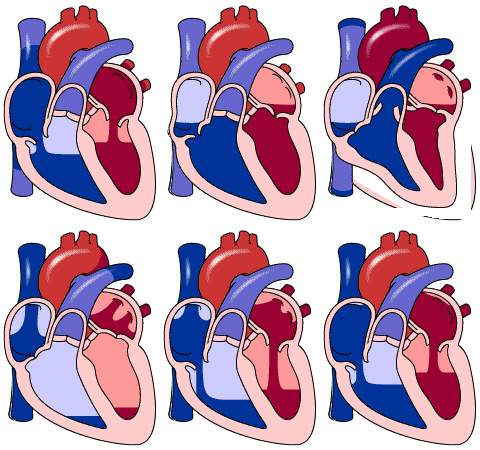
• Choice of Frame: GIFs offer a structured and focused frame for presenting content. For example, in a lesson on circulatory systems, a GIF could depict the looping flow of blood through the heart’s chambers, emphasising flow without overwhelming children with unnecessary detail.

• Choice of Word: Pairing a GIF with carefully chosen, concise text enhances understanding. For instance, a GIF illustrating the movement of electrons in a circuit can be paired with terms like “flow direction” or “current” for clarity.

• Choice of Flow: GIFs naturally control the “flow” of information. A looping animation keeps children engaged and focused, giving them the autonomy to observe until confident in their understanding. Pair this with a teacher’s narration of the process, and children’s understanding becomes clearer, sooner.
Practical Classroom Applications
Here are some examples of how animated GIFs can enhance task design:

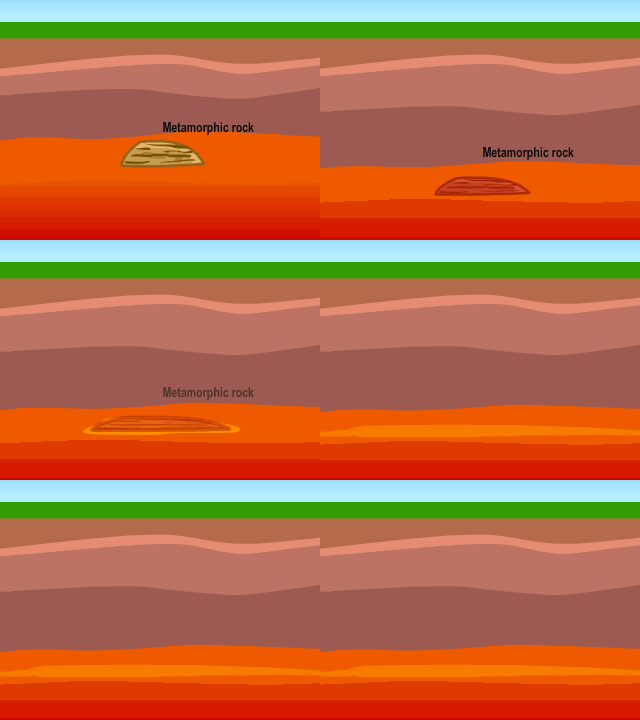
• Science: GIFs illustrating the rock cycle from igneous to metamorphic or the movement of molecules in solids, liquids, or gases.
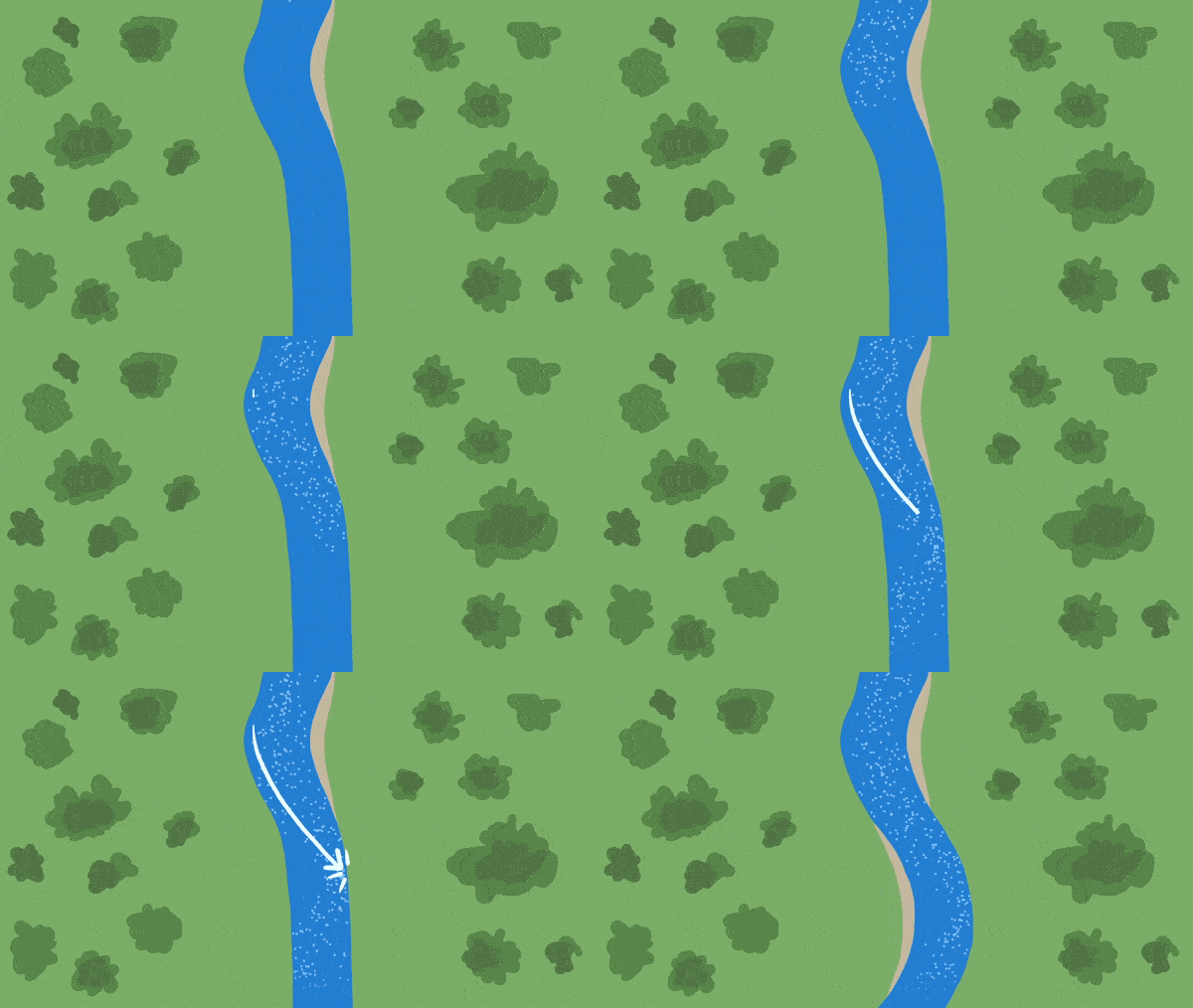
• Geography: A GIF looping the formation of a river meander to show physical geography in action.

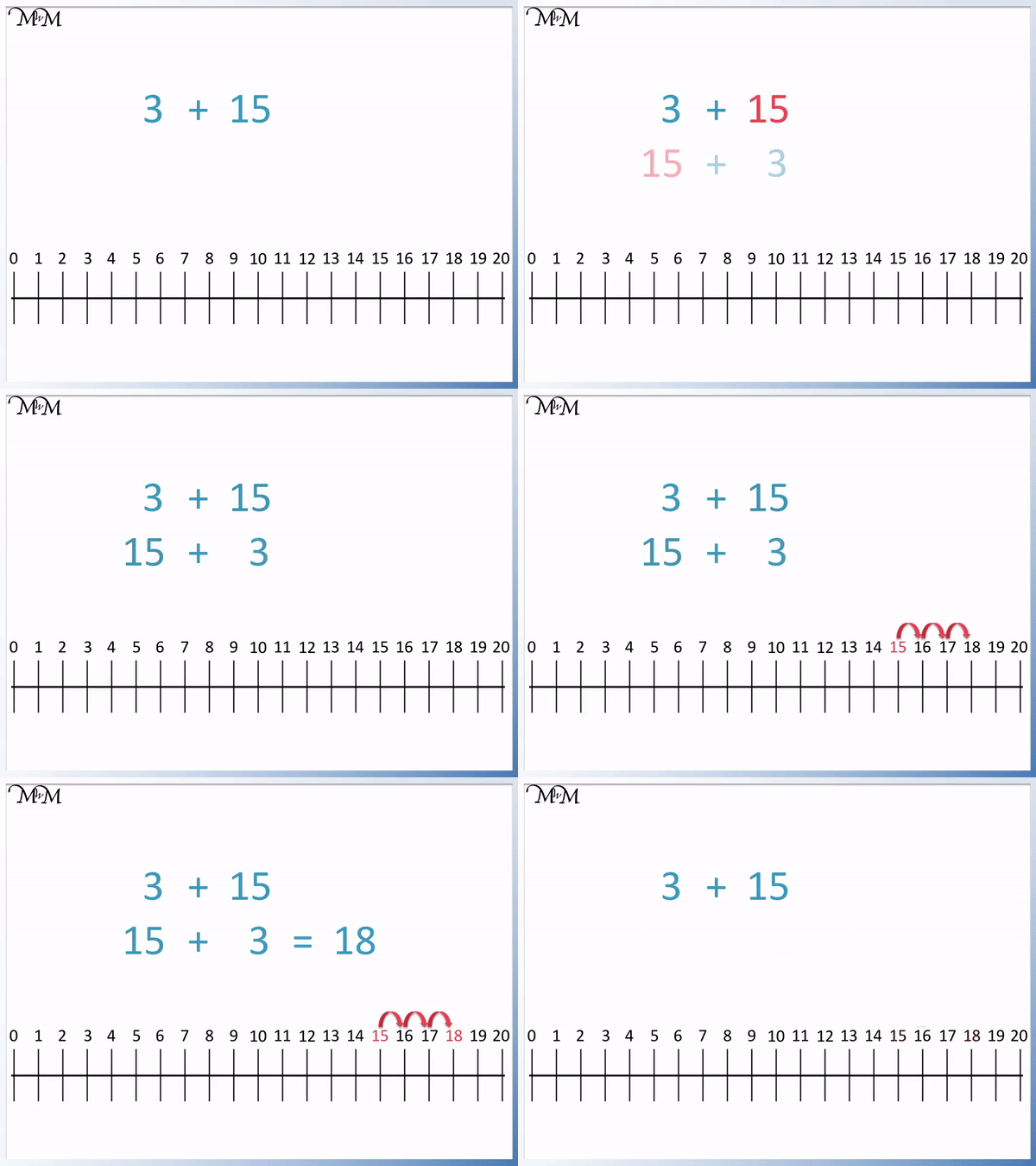
• Maths: Animated models of number line movement for addition and subtraction, or step-by-step transformations in geometry (e.g., rotation, reflection).
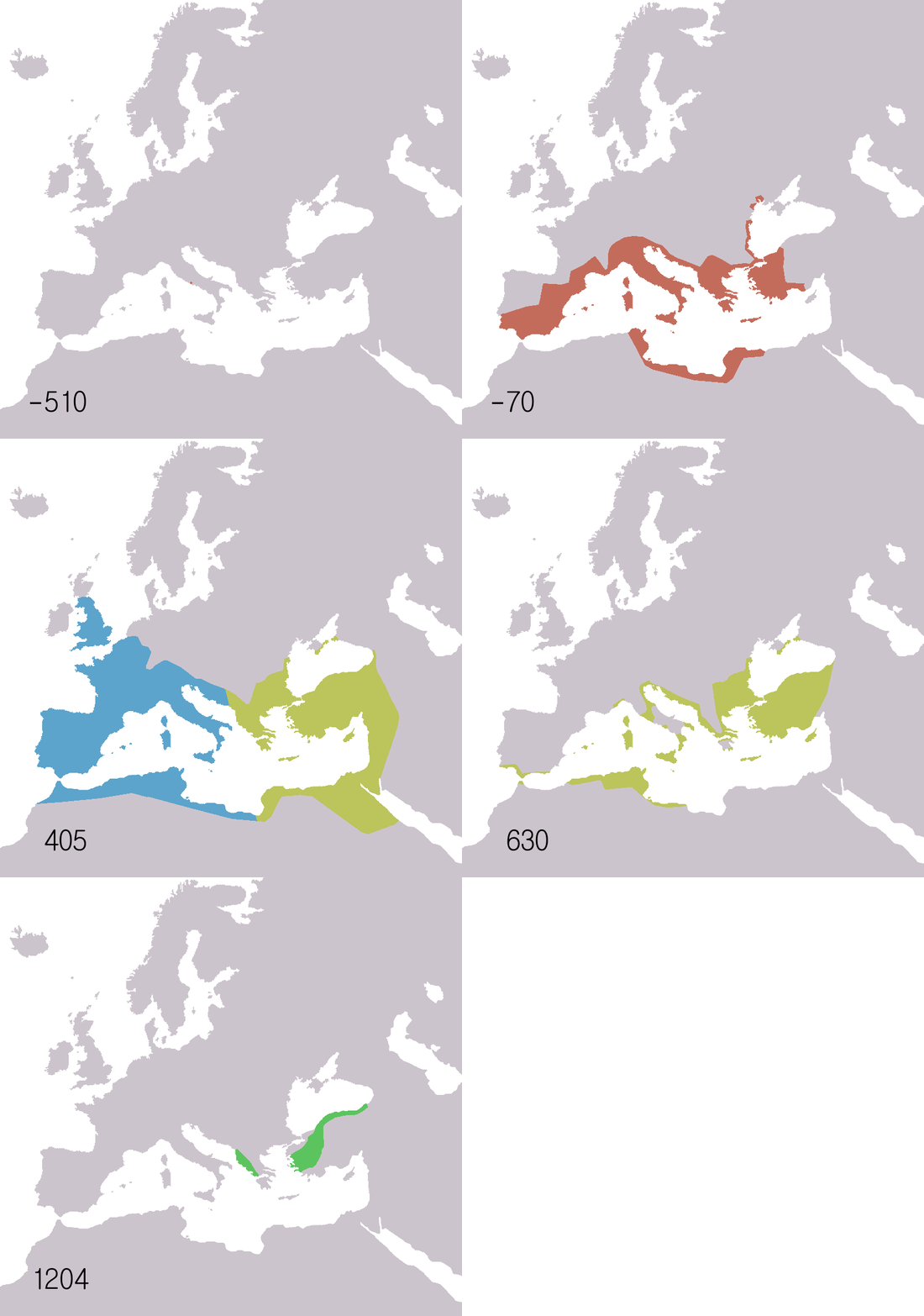
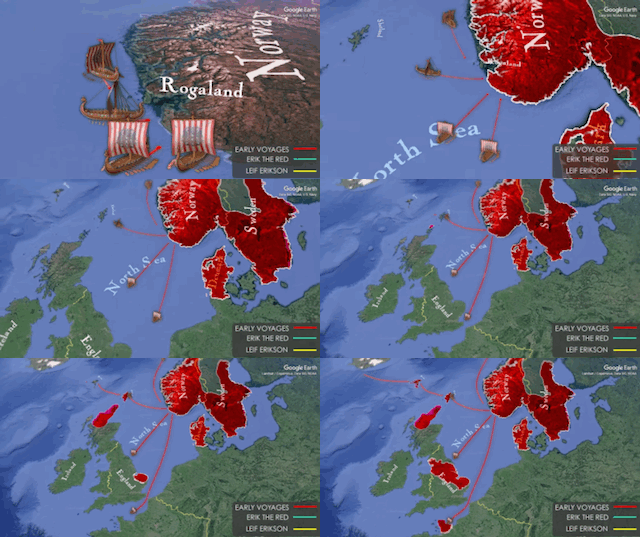
• History: GIFs of the journeys taken by historical figures or the development of large empires like that of the Roman Empire.
Considerations for Effective Use
To ensure GIFs are used effectively:
• Avoid Cognitive Overload: Focus each GIF on one specific concept or process. Too many elements or GIFs can distract children.
• Complement with Scaffolds: Pair GIFs with anchor icons, sentence stems, or guiding questions.
• Ensure Accessibility: Provide brief explanations of the GIFs to help children connect the visuals with the concept.
• Test for Clarity: Ensure the loop timing isn’t too fast, and transitions are smooth to avoid confusion.
Challenges and Limitations
While animated GIFs are effective, they are not without limitations:
• File Size and Compatibility: Some platforms may struggle to load high-quality GIFs. Optimise for web or smaller sizes for PowerPoint to avoid lag.
• Overuse: Like any teaching tool, over-reliance on GIFs can reduce their impact. Balance their use with other multimedia and hands-on activities.
Final Thoughts
Animated GIFs are not just a digital trend or a tool for entertaining memes—they are a powerful medium for bridging the gap between static visuals and overwhelming videos. They allow children to focus on learning, repeatedly engage with content, and draw their own conclusions—all in alignment with effective task design principles.
By using GIFs strategically, teachers can enhance clarity, accessibility, and engagement in the classroom. In a world where children are bombarded with transient media, the looping precision of a well-crafted GIF can make all the difference.
If you’re interested in incorporating animated GIFs into your teaching, explore tools like Giphy, ezGIF, PowerPoint, Keynote, or Canva, which allow easy export of animations as GIFs. Alternatively, search online and add “GIF” to the end of your query to find relevant examples. By adding this small but mighty tool to your teaching repertoire, you can transform how children interact with and retain information.
Thank you for co tinging to read and please comment, subscribe or share your thoughts ☺️
Karl (MRMICT)




 MRMICT
Leave a comment