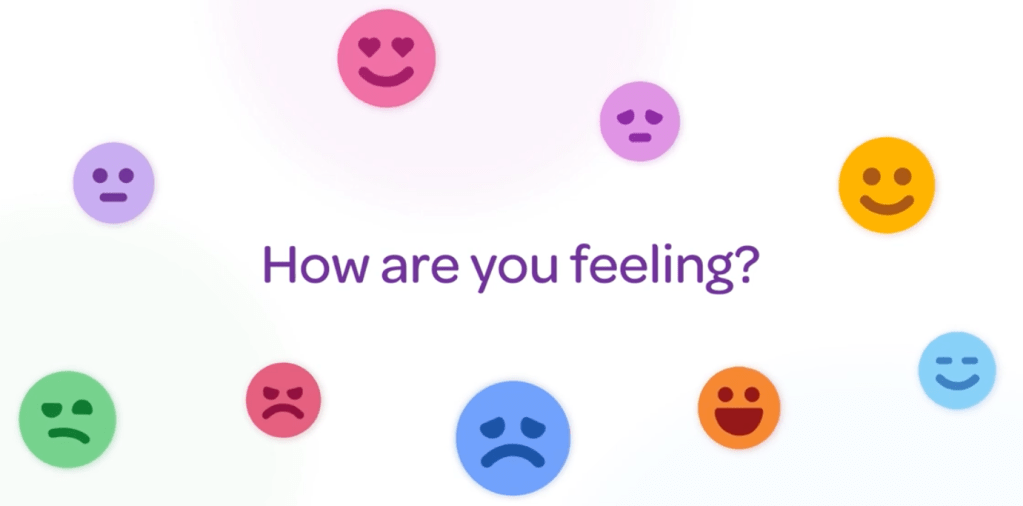
As we step into a new academic year, the updates to YouHue couldn’t be more timely. If you’re like me, you’re probably sifting through your bookmarks, planning how to enhance your classroom environment. The goal? To create a space that nurtures not only academic growth but also the emotional well-being of our students. This year, YouHue has upped its game with some fantastic new features that promise to make emotional literacy an integral part of daily classroom life.
I have been extolling the virtues of YouHue for quite some time, and with good reason. YouHue is an exceptional app, and I have genuinely not seen an app so thoughtfully designed with a single purpose in a long time. We have used YouHue for a year now, and it has truly revolutionised how our children share their feelings and how we address these emotions and any potential conflicts that arise. But don’t just take my word for it; listen to a selection of our children in the following video case study.
What’s New in YouHue?
For those unfamiliar, YouHue is a platform designed to help students check in with their emotions, giving educators real-time insights into their emotional states. The app has always been a gem, but the latest updates have made it even more indispensable. I am always blown away by the various features that are added by YouHue, and this update is no exception. One of the biggest additions is the incorporation of AI for analytics to enhance the experience for the children checking in.
Mood Check-ins and AI-Driven Analytics
First off, the mood check-in feature has been refined. It’s now easier for children to express their emotions. Previously, children needed to press the pen to select the different ranges within the emotions. You can see this in the image below.

Now, these options are available in the new visual layout, seen below, with information about each emotion, so older children can more accurately determine how they feel.

With the inclusion of improved AI-driven analytics, you will be able to dive deeper into the emotional trends. This means quicker, more accurate identification of students who might need extra support—allowing us to intervene before issues escalate. What’s more, children can receive an age appropriate message to reflect on, even when their check-in doesn’t require a teacher’s response.

Enhanced Educator Dashboard
The Educator Dashboard has seen significant improvements, providing an even clearer view of the emotional atmosphere in your classroom. The interface is now more streamlined and goes beyond just tracking moods; it helps you understand the factors behind those moods, enabling you to foster a more supportive learning environment. A simple yet effective new feature allows you to hover over a student to see their most recent check-in, their last five moods, respond directly from there, and view the child’s profile in greater detail.
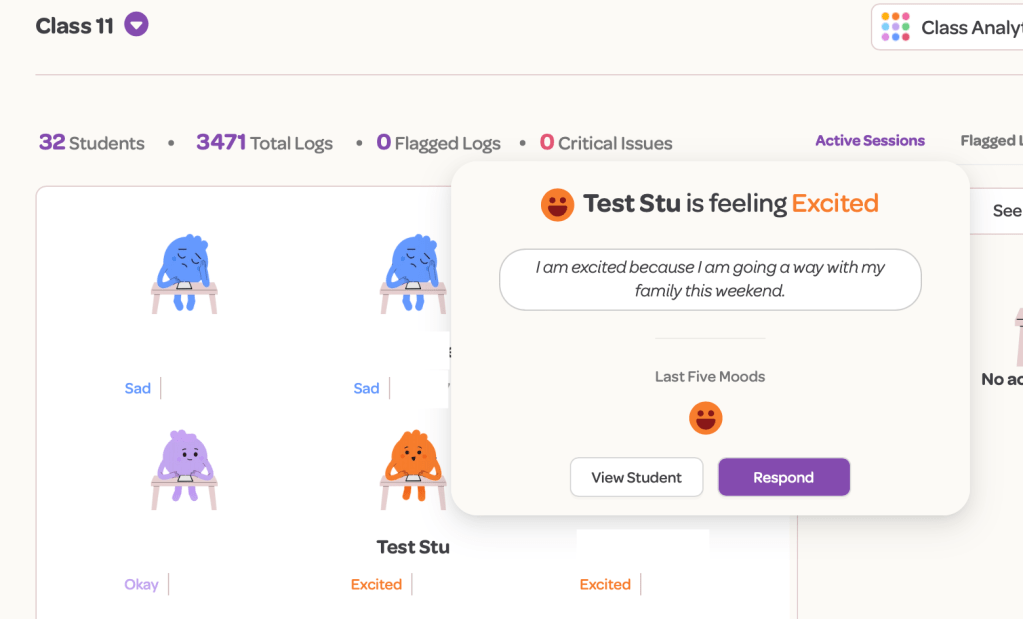
I have always loved the ‘trends’ feature, as it helps us track emotions over time, allowing us to build a much better picture of what certain children may be experiencing.
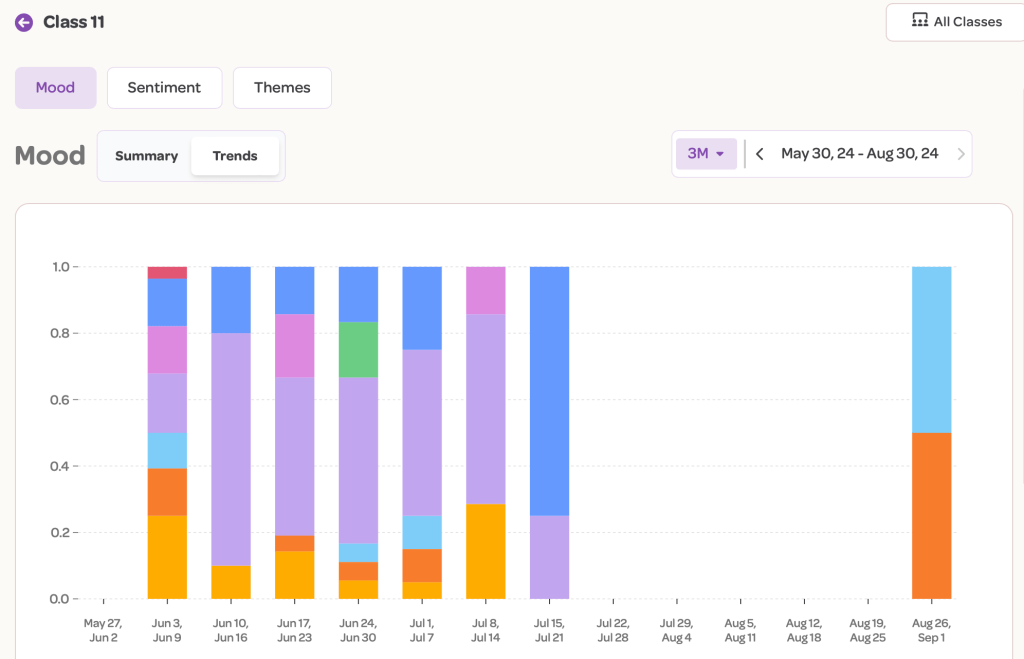
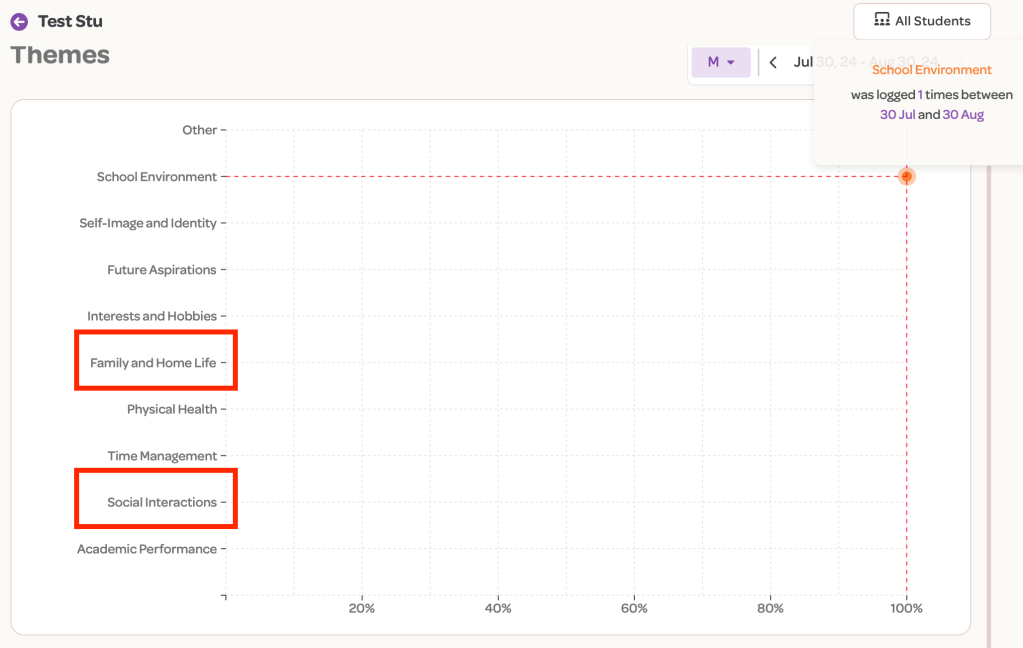
This is incredibly useful for either intercepting the child as soon as they come in or for having a considered and watchful eye to ensure they receive the support they may need. Now, we have sentiments and themes. While they may sound similar, they are not. Themes allow us to determine any recurring patterns that may emerge based on how and what the children are checking in. For example, a theme emerging from a child or your class based on their posts could be related to ‘family or home life’ or ‘social interactions.’ This is another detailed way in which YouHue interprets the information, ultimately acting as an insightful emotional guide for you.
The smart sentiment feature is a great extension of this too. I can see at a glance whether my class is veering more towards a ‘positive’ or ‘negative’ sentiment. Again, I can use this to determine if any hidden emotional patterns are emerging over time.
Previously, you would receive an email if children presented any negative emotional trends or if specific flagged words were detected. Now, YouHue offers more specific, topic-based flagging to enhance student support. Additionally, YouHue recognises that you know your students best, so you can now set alerts for class-specific concerns, providing more tailored support.
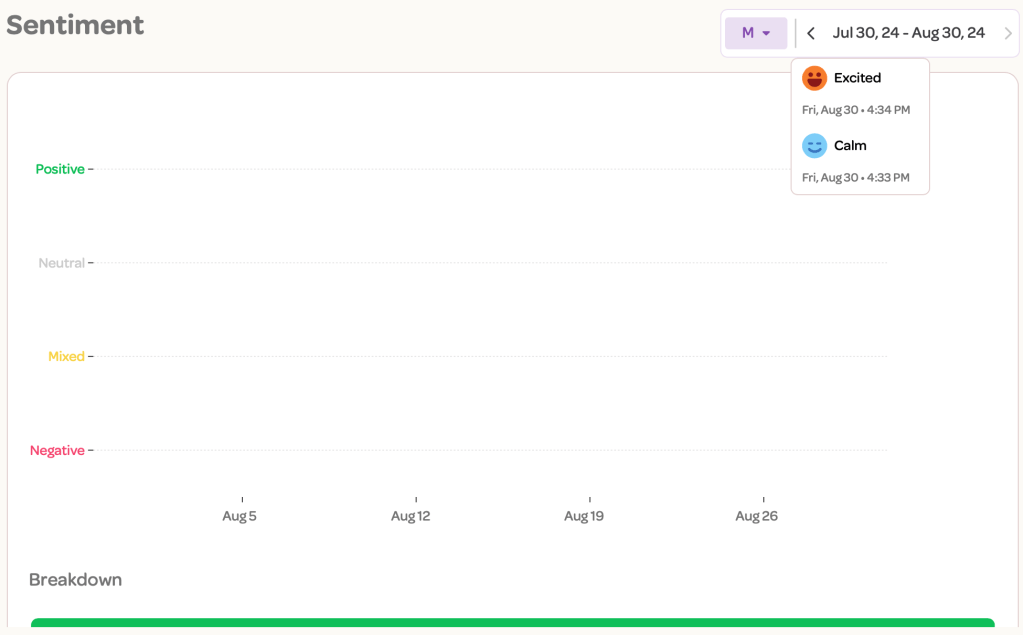
In a world where early intervention is integral, this is an incredible feature, and when we consider the potential information this could gather for SEND reviews, safeguarding concerns, or simply to inform whole-class emotional gaps for PSHE or SEL within the class, it’s invaluable.
Session Check-Ins
Something that will help me manage the ‘bigger questions’ in the app is the new timed questions feature. I often wanted to ask a specific question—for example, being a Year 6 teacher, I might want to ask: “How are you feeling about going on residential?” or “How are you feeling now you have done your first SATs paper?” Well, now I can. I have had a quick try at setting up a question for my class’s first day back, and it couldn’t be simpler.
Step 1: Select new session check-in.

Step 2: Either select from a range of pre-generated questions that you can edit or create your own. I chose my own.

Step 3: Type your question and decide on the possible pre-generated responses the children can choose. These are generated by the new A.I. integration.

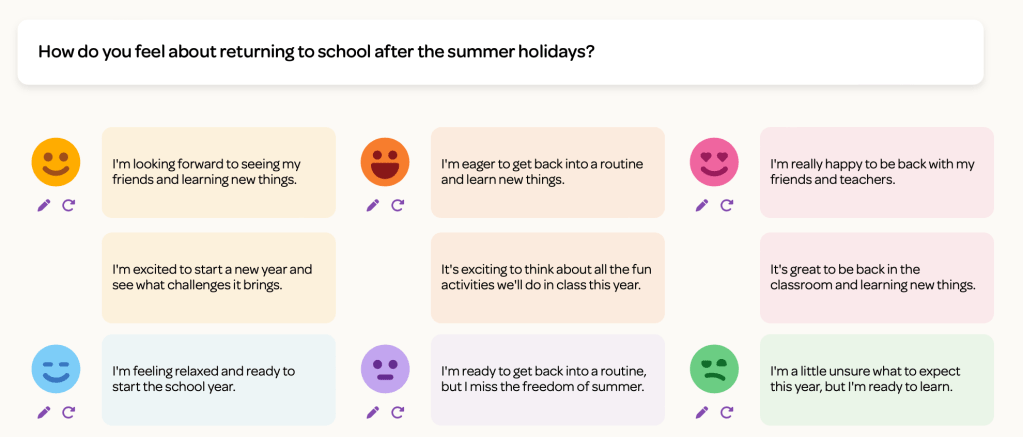
Step 4: Set your duration, time, and date, and whether you want the question to repeat. For example, you can have a recurring question each Monday.
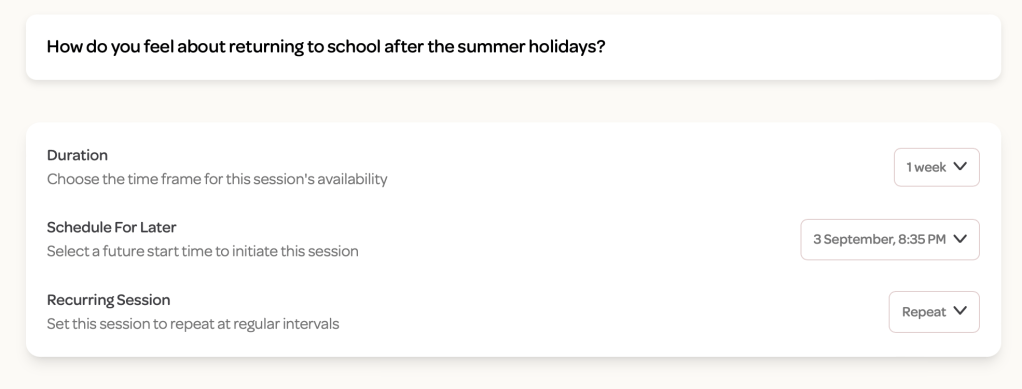
So, four steps and you have a recurring question. If you want to just use the app weekly, you can. This gives you much greater control.
Expanded Mindfulness Activities
One of my personal favourites is the expanded range of mindfulness activities. These were never just generic exercises but they are now more tailored activities that cater to individual or group needs. I love that the activities can be sent directly to a child or simply run as a class. Often, I was searching YouTube videos or flicking in and out of other apps to find mindfulness activities to run. Now, though, I can select activities that fit with the emotional needs of specific children or based on the general sentiment of the class. Whether it’s helping a student manage anxiety or preparing the whole class to focus before a big write, these activities are easy to play and are integrated directly into the app, so no more flicking between apps or services.
Why YouHue is a Must-Have This Academic Year
As teachers, our time is stretched thin, and finding tools that are both effective and easy to use is a game-changer. YouHue has solved two logistical issues for me. One was finding a way for my children to check in without putting pegs on a chart or displaying to the whole class how they were feeling, and the second was the queue that often appeared after break and lunch to tell me who did what to whom. YouHue fits this bill perfectly. It doesn’t just help us monitor our students’ emotional well-being; it empowers us to take proactive steps to support them. Whether it’s through the intuitive mood check-ins, the detailed AI-driven analytics, or the practical mindfulness activities, YouHue equips us with the tools we need to create an emotionally literate and resilient classroom. What’s more, it is not just a way to check in and check up. You, like I, can use this information to inform your lessons and genuinely teach a responsive PSHE and SEL curriculum.
Final Thoughts
For a handy summary of the above, YouHue have put together this great video. So again don’t take my word for it check it out from straight from the team itself.
As we embark on another academic year, incorporating YouHue into your daily routine could make all the difference. It’s not just an app—it’s a partner in creating a nurturing, empathetic, and productive learning environment. By making emotional literacy a priority, we are setting the stage for both academic success and the overall well-being of our children. And as any teacher knows, that’s priceless.
Thanks for reading and I genuinely hope you do what we did and embark on your YouHue journey, simply ask for a free trial period and I promise you will never look back.
Karl (MRMICT)
Subscribe for updates on new blogs.




 MRMICT
Leave a comment