
Teachers, this is the app you didn’t know you needed. I have been in education for a long time now, and I have been part of a pastoral team as well as specializing in computing and EdTech. There are only a few times I’ve truly been blown away by a new app that I have found. This one really did blow me away.
My journey with YouHue so far is a short one. I have used the app earnestly for about 3 weeks. However, in that time, I learned a huge amount about my class that I wouldn’t have done otherwise. Let me be clear; I am writing this blog post because I genuinely think that every school, no matter where you are, should be considering getting YouHue started up in your setting. Given that most schools in England will be back to full swing in just under 6 days, it gives you plenty of time to digest and set up your YouHue account.
First, here are the reasons why I set up a YouHue account and what I learned from my first 3 weeks. For me, it started with Zones of Regulation. Our school, like many in Newcastle upon Tyne, has adopted the Zones approach to self-regulation. A part of this is checking in with children throughout the day in a similar way to the pictures below.
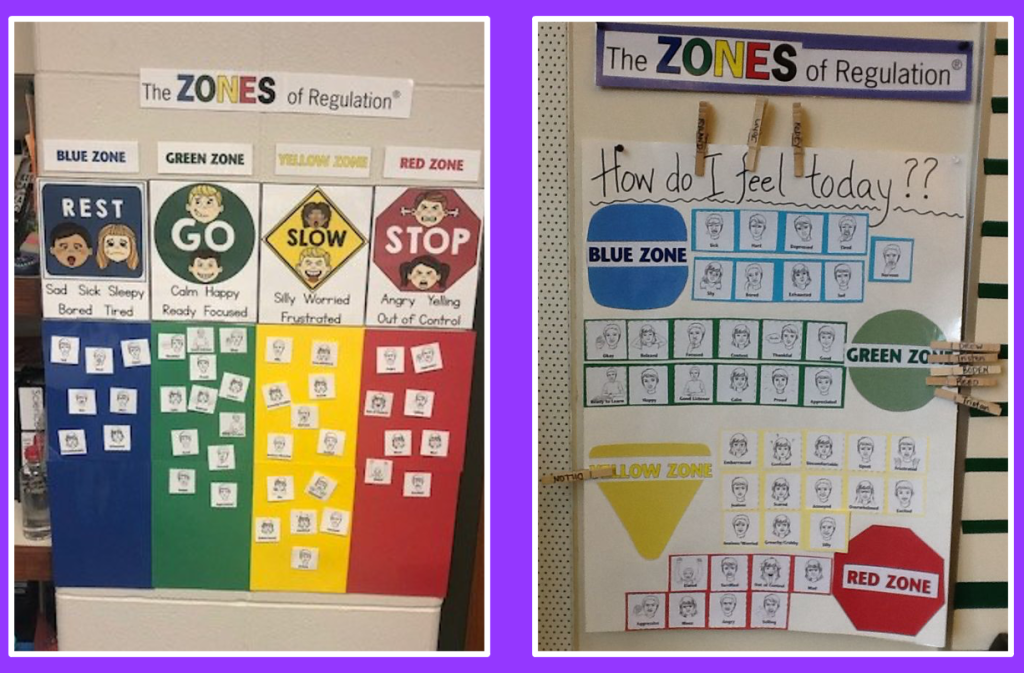
These may work for some, and as part of a supportive and caring classroom environment, I’m sure it can. However, for me, I don’t like the idea of displaying feelings for the class to see. I feel that children might be reluctant to show how they really feel, and it would look good but not serve the purpose intended. I am also acutely aware that if this is how I feel, implementing it successfully this way in my class wouldn’t work.
My headteacher and I were having a conversation about how it could be implemented in upper Key Stage 2 on a device or checking in digitally. So after a little Google trawling, finding a few solutions, YouHue jumped out at me.
The first thing that I loved was how simplistic the branding, website, and interface looked. It might seem a little pointless to some, but I firmly believe if it’s going to work well in schools, it has to be simple. The next thing was how easy it was to sign up; there was no complicated form or awaiting approval.
Setting up the class was also incredibly easy; I copied the first names from my class list straight in, and they were added instantly. This part is important because it always gets missed. As a computing lead, you always get asked, “Is it GDPR compliant?” It is.

Although setting up the class and the interface was seamless, the incredible stuff happens when you get all the class signed in and using the app. It’s important to note that we use iPads, and each class in Key Stage has their own iPads; having 1:1 devices does make it far easier, and children can choose to stay logged in. However, it can still be used successfully with a single device or a smaller number as the children’s logins are simple codes or QR codes.
We were working on the model of checking in, checking up, and checking out. I have put together a poster that you can see below and download here to use in your class should you choose here:

https://drive.google.com/drive/folders/1VMq8vK7GbICtB_ZII9ZzujxosMOMptRR?usp=share_link
So on the first morning, we checked in. Needless to say, lots of the children checked in as ‘confused’ 😂 it took them some time and patience to get everyone logged in and at the right stage; this was a listening issue rather than a YouHue issue 😆. However, when the children checked in after lunch is when some features I wasn’t aware of came to light. One of the children in the class told me of a small incident where they had grazed their elbow; after telling me, the child added it to their YouHue journal. I got an immediate email as the child had written that they were ‘hurt,’ which was a flagged word.
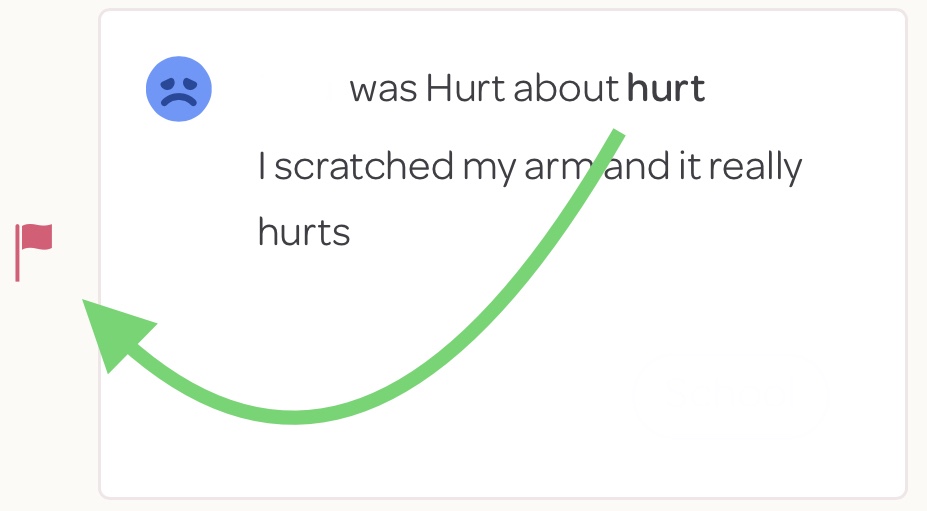
I loved how this was sent the second the child pressed submit on the app. I already knew about the incident, so there was no need to attend to it. The next morning, however, when checking in, one of the children had written that they were feeling ‘sick’ and ‘tired’ because they hadn’t slept well.
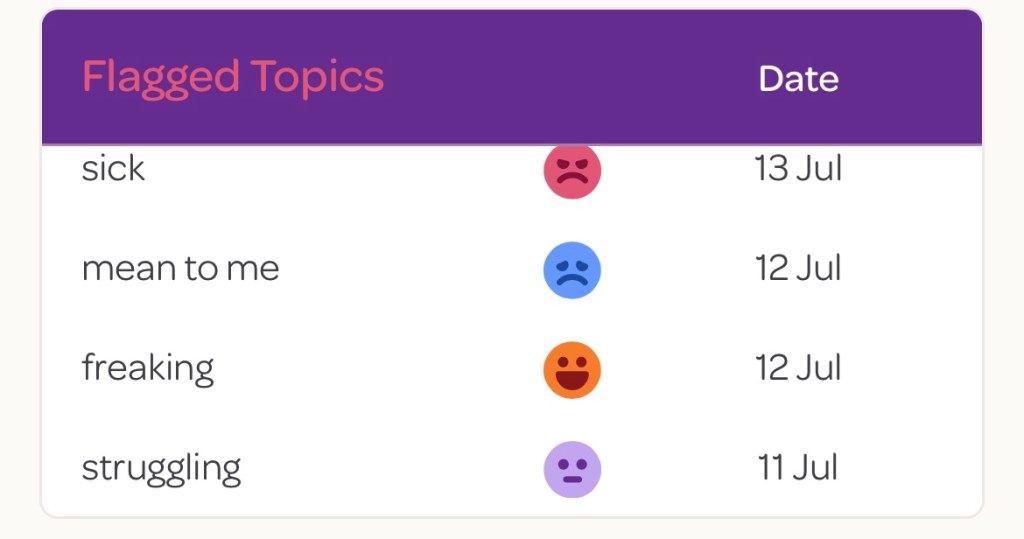
What was even better was this was a child that NEVER would have said or mentioned this otherwise. They never like to make a fuss or seem like they are not coping, yet the discreet nature of YouHue allowed them to be open, and for me to know exactly how they were feeling.
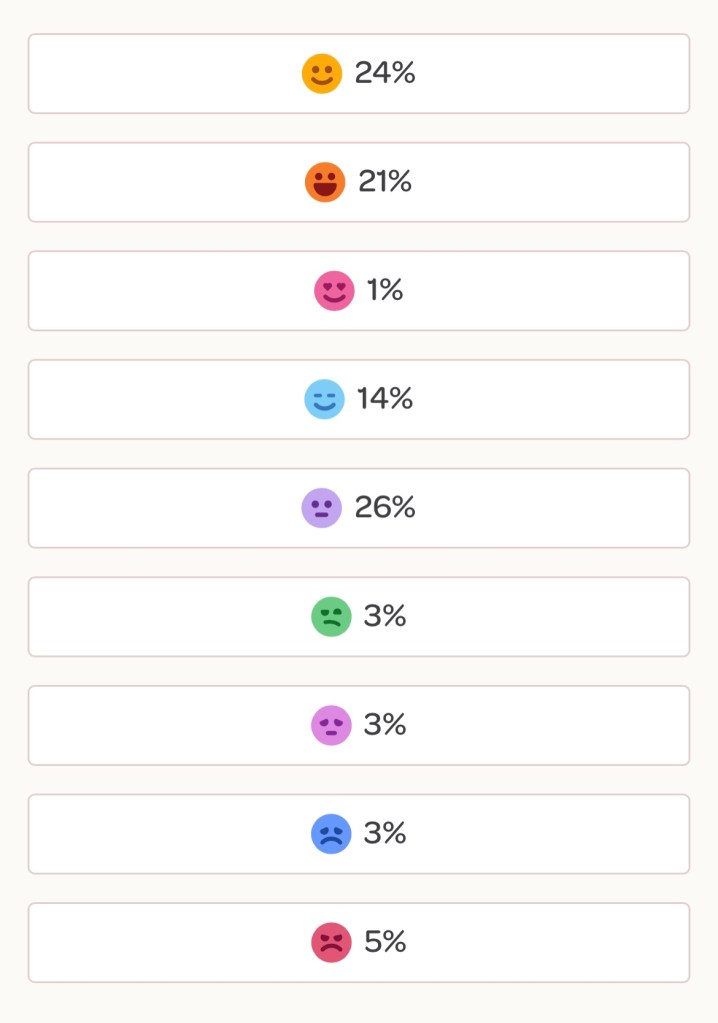
YouHue is incredibly easy to set up, and it gives you a better insight into the children in your class. YouHue has a great insight feature. It lets you identify the emotional feeling within your class at a glance.

It also lets you choose individual children, and the brilliance of this feature is it starts to identify trends. If a child feels a particular way on say a Friday, then this can start to build a picture which, along with standard safeguarding practices, can be the final piece in that jigsaw.
I will continue to tweet, blog, and share about YouHue and all the wonderful tools it has, so follow me @MRMICT on X (formerly Twitter). I assure you, you will not look back once you’ve signed up!
Karl




 MRMICT
Leave a comment